Before you publish
Score your draft before you hit Publish
A writing coach sits beside LinkedIn's composer. Same cringe score and reasons, plus a cleaner proposal you can steal from.
Browser extension for LinkedIn
Catch the cringe before you post. Hide it when others don't.
Free on the Chrome Web Store
Before you publish
A writing coach sits beside LinkedIn's composer. Same cringe score and reasons, plus a cleaner proposal you can steal from.
On the feed
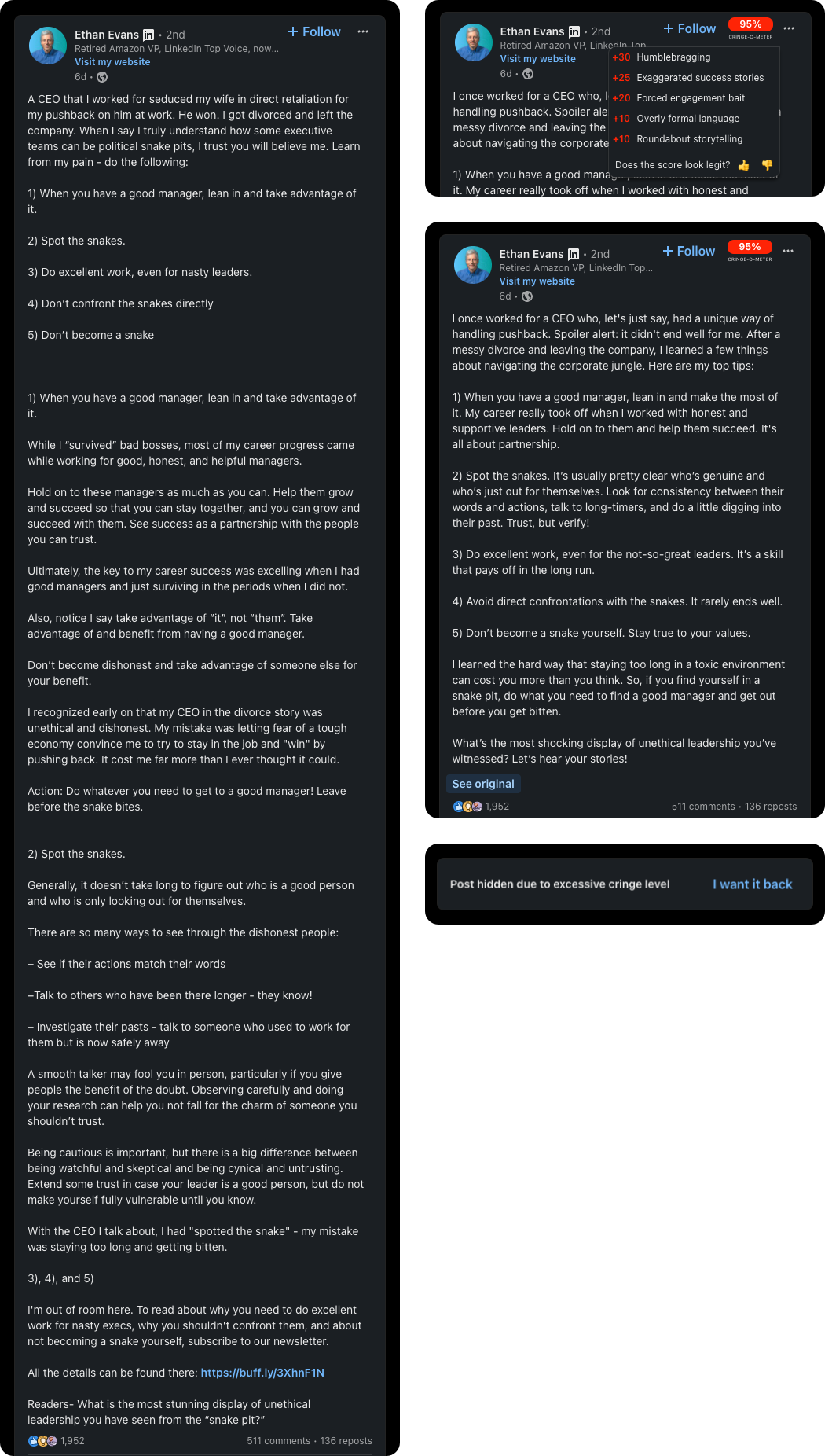
Every post in your feed gets a cringe score. Hide the worst, rewrite the rest in casual language, and see exactly why it scored.
Set a threshold and the worst of the feed disappears. Bring a post back if you still want to read it.
Posts above your threshold get rewritten in casual language. Toggle back to the original whenever you want.
Click the score for the reasons and how many points each added. If it feels off, mark it too high or too low.
Unroll long posts. Hide images, videos, reactions, ads, and both sidebars. Start from Raw, Balanced, or Clean, then flip the switches.
Filter the feed to original posts and skip the shares and reposts. The toggle sits next to LinkedIn's own sort control.
The extension detects the post's language, then scores and rewrites it in that language.
The person behind the tool
Hi, I'm Bartek Igielski from Poland, an indie maker and software developer, working solo since 2023.
Before this I spent over 10 years building and leading teams on software products. Now I put that into small, practical tools and run every part of them myself.

Independent maker
The feed gets scored as you scroll. The composer gets a coach.